
Crontap now publishes public status pages for your uptime monitors and heartbeats. Pick the checks your customers should see, group them into sections, choose a template, and the page goes live at crontap.page/<slug>.
Status pages are free on every plan: every template, every appearance setting, incidents, maintenance windows, the status badge, the RSS feed and status.json all work on Starter. Pro, from $2.99 per month, adds your logo, removes the "Powered by Crontap" line and connects a custom domain such as status.example.com. Starter includes 2 items in total (one uptime monitor checked daily and one heartbeat), so a free page shows at most two services.
The feature page with live examples is at crontap.com/status-pages.
What ships today
A status page is a public view of checks Crontap already runs for you. The first release covers the full loop, from picking items to telling customers what happened:
- Monitors and heartbeats on one page: up to 100 items in up to 20 sections. A heartbeat gets its own row next to your uptime monitors, so a nightly import or a queue worker can sit beside the API it feeds.
- 90-day history per service: a daily bar, an uptime percentage, response times for uptime monitors, and a streak of days without an incident.
- An automatic timeline: every down, recovery, missed heartbeat and failure lands in the page's history on its own, kept for 90 days.
- Incidents and maintenance: written by you, with impact, status and an update thread. More on those below.
- Status badge, RSS and
status.json: the page travels to your README, your site footer and anyone's feed reader. - Your own domain on Pro: a subdomain with automatic SSL.
- Share link and QR code:
crontap.com/s/<slug>follows the page if you later move it to a custom domain, and the Share tab draws a QR code for it.
Pages update within a few minutes of a check changing state, and a page that is already open refreshes itself, so visitors never have to reload. Each page also gets a live social card that shows its current state when someone pastes the link into Slack or X.
What the page leaves out matters as much. Visitors see the names you choose, never the monitor URL, the heartbeat's ping token, error messages or logs. Paused items are hidden, so a check you switched off on purpose never shows as down.
Setup takes three steps
If you have never made a status page before, the guided setup in the dashboard does most of the work:
- Type your website. Crontap looks at it and suggests checks worth showing, such as the homepage, an API health endpoint or an app subdomain, plus a heartbeat tile for a nightly backup or cron job.
- Tick the ones you want. The guide stays inside your plan's limits, so on Starter it creates at most the two items Starter allows.
- Pick a look, choose an address and publish. The page is live as soon as you press Create.
If you already have monitors and heartbeats, skip the website step and build the page from what you have. Everything stays editable afterwards in the page editor: rename items for the public, reorder sections, write a Markdown description, and add links to your docs or support.
Templates, from calm to fully themed
Most status pages look the same, and that is fine when the page is a utility. Sometimes, though, the status page is one of the few places customers notice your brand on a bad day. So Crontap ships a gallery of templates, and every one of them is free.
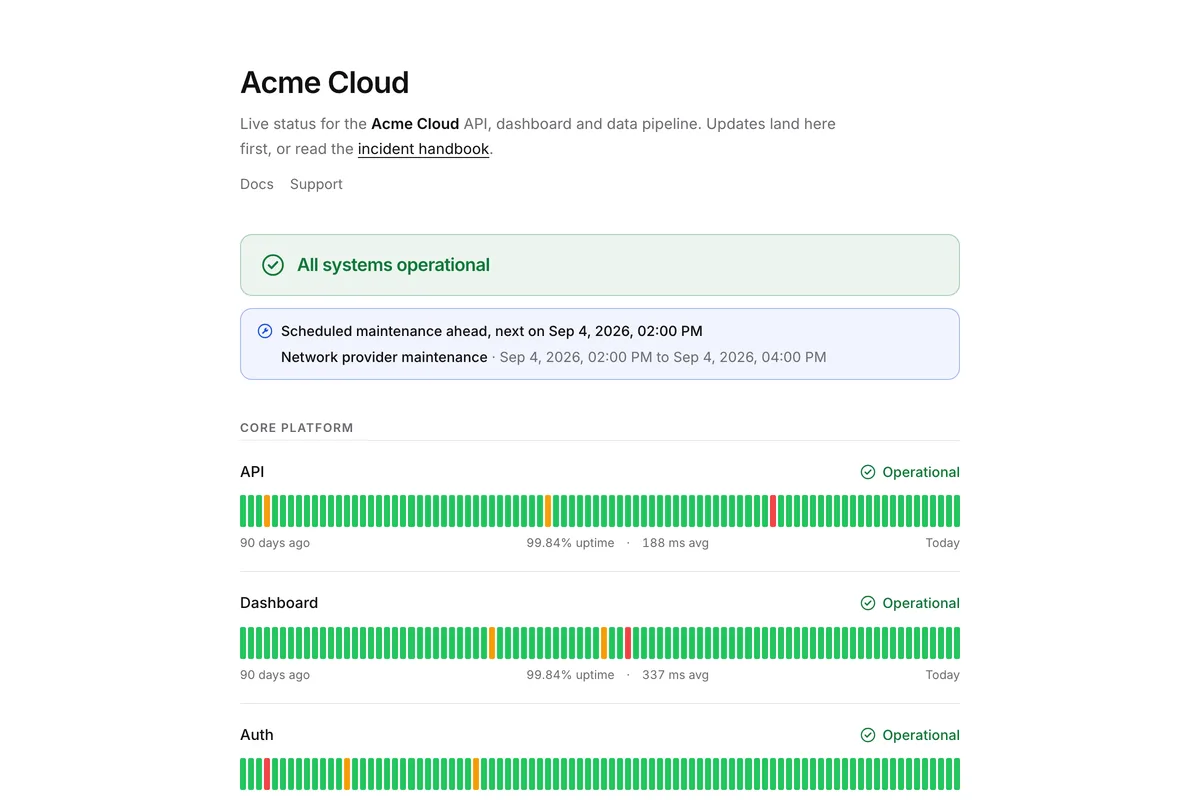
The range runs from Clean, a quiet page with the familiar banner and 90-day bars, to themes where the status is the world:
- Departures Board turns each service into a flight on a split-flap board, so an outage reads as a delay.
- Vital Signs draws an ECG trace per service, and a major outage flatlines.
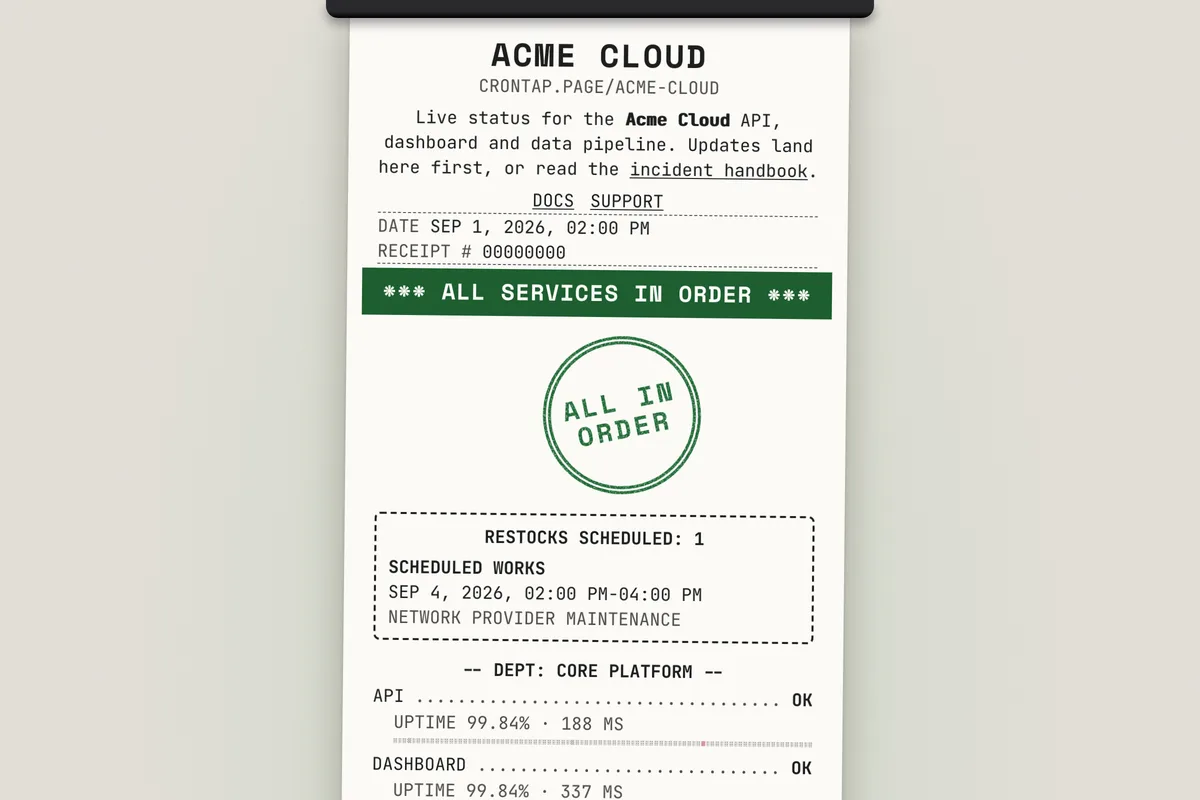
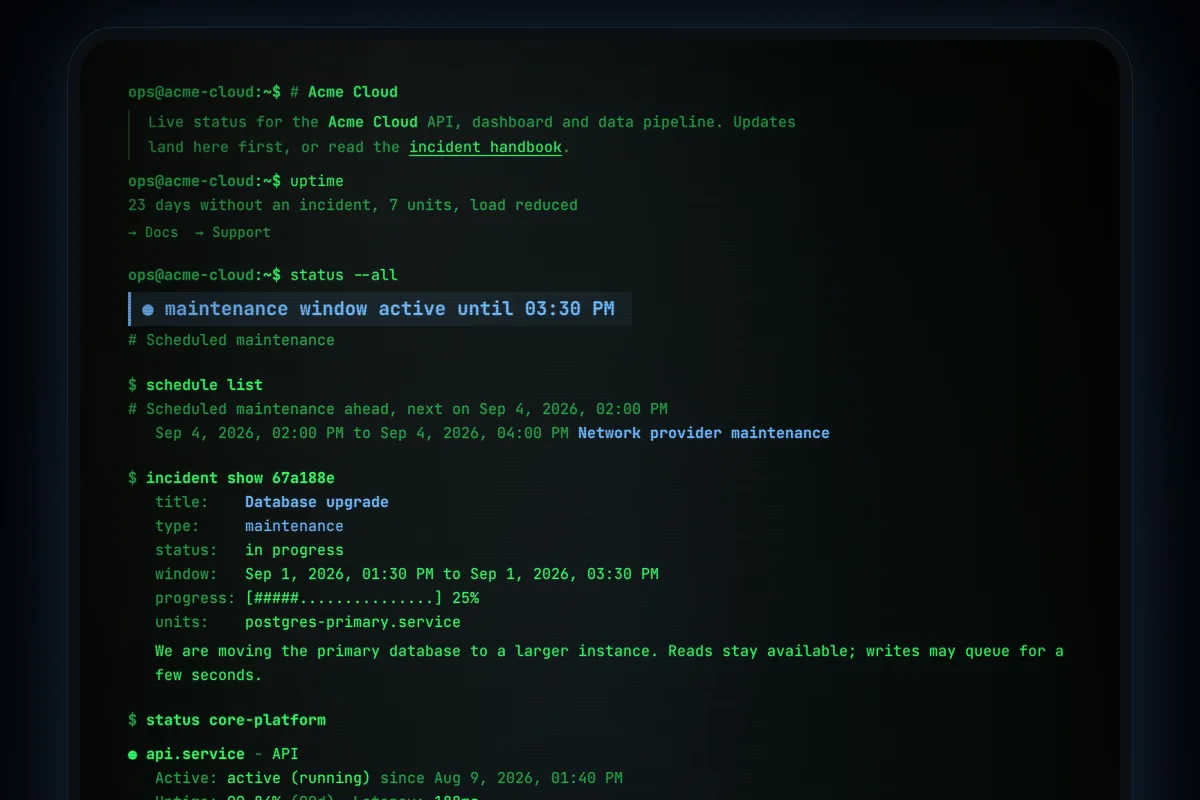
- Receipt prints the page as a till slip, Terminal as a shell session, and Gazette as a newspaper front page.
- Weather, Transit Map, Swiss, Isometric City and Vaporwave cover a lot of other ground in between.
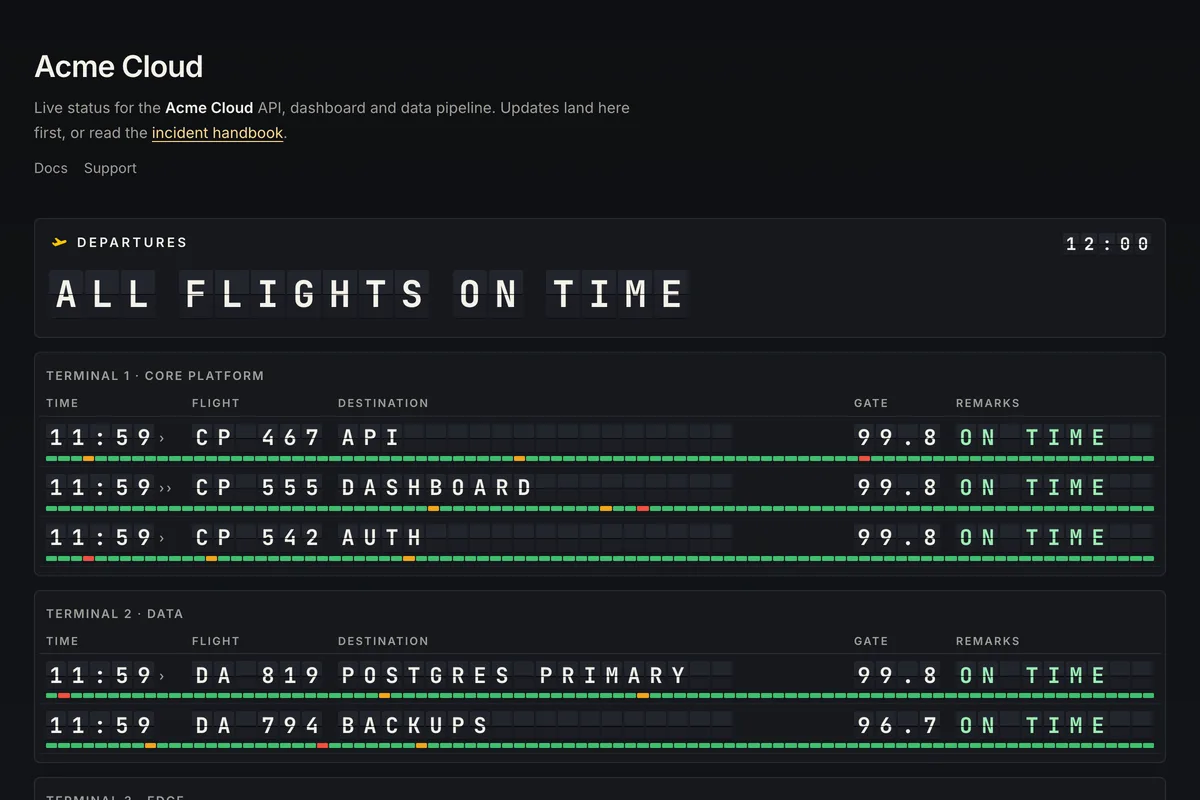
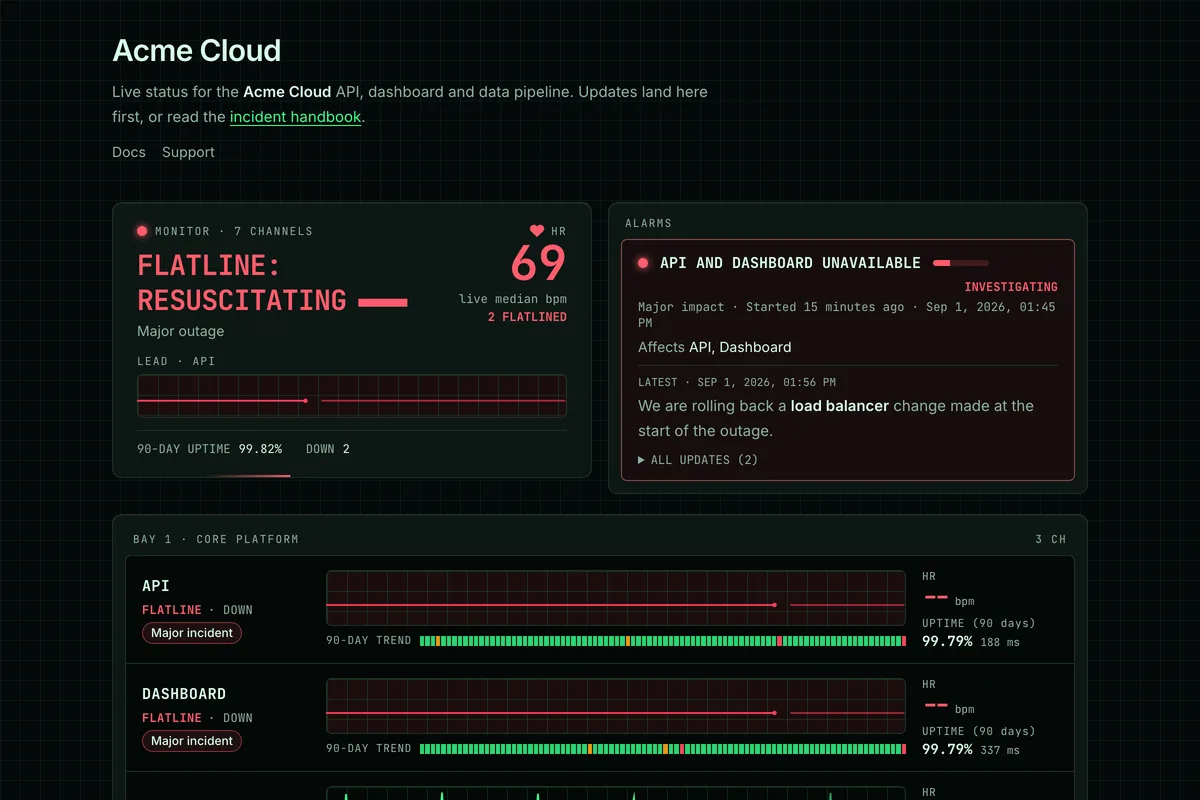
Every template has its own page with all five states (operational, degraded, major outage, maintenance and pending) and a live demo you can click through, for example the Departures Board demo during a degraded spell. The full gallery has the rest. Clean is the stable default; the themed templates are marked beta while they settle.
Each template has a handful of its own options, plus a common set: an accent colour, a colour scheme (light, dark, or follow the visitor), and how much motion you want. Visitors get their own theme and motion toggles, and pages respect the reduced motion setting on their device.
Status labels: Professional or Theme voice
One more common setting decides how a themed page talks about trouble. Professional keeps the plain labels everyone expects, such as "All systems operational" and "Partial outage". Theme voice lets the template speak in its own words, so the Departures Board says "Some flights delayed" instead of "Partial outage". The plain status stays available to screen readers either way, and status.json and RSS always use the professional labels.
Seasonal overlays
Pages can also wear a seasonal overlay: Winter snow, Halloween, New Year confetti or an April Fools flip. Set it to Auto and each one shows only during its own window, in the visitor's local time, or pick one by hand. Overlays are off by default.
Incidents and maintenance windows
Crontap fills the timeline automatically, but an incident is something you write. When a check goes down the page turns red on its own; the incident is where you explain what is happening, in plain words, for the people reading.
An incident has an impact (none, minor, major or critical), a status (investigating, identified, monitoring, resolved), the services it affects, and up to 50 updates. Open incidents sit at the top of the page, and a major or critical incident sets the page to major outage even if every check is green.
Maintenance windows show ahead of time, so customers can plan around them. While a window is active, the linked services are shown as under maintenance instead of down. Maintenance only changes what the page shows: Crontap keeps running the checks and keeps sending your alerts.
Badge, RSS and status.json
Every page comes with three ways to take the status elsewhere, all free:
- A status badge: an SVG at
crontap.page/<slug>/badge.svgin six styles (pill, compact, bars, card, shield and orb), with light and dark themes, a colourblind-safe palette, a 90, 30 or 7-day window, and optional uptime and response time. Point it at a single service withitem=if one job deserves its own badge. The Share tab builds the snippet for HTML, a GitHub README, Markdown or React. - An RSS feed of incidents, maintenance and updates, newest 50, at
/<slug>/rss.xml. status.json: a read-only feed of the page's current state, open to any origin, for your own widgets and scripts. It is a feed, not an API.
The cron job status page guide has copy-paste badge snippets for a README.
Custom domains on Pro
On Pro, Ultra and legacy Pro you can serve the page from your own subdomain, such as status.example.com. Add a CNAME record pointing to domains.crontap.page and a TXT record that proves you own the domain, and the certificate is issued automatically. Apex domains like example.com are not supported, only subdomains.
Pro also lets you upload a logo, remove the "Powered by Crontap" line and drop the Crontap mark from your badge. Everything else on the page is the same on every plan.
Pricing
Status pages do not have their own price. They show the uptime monitors and heartbeats you already have, which count toward the same combined cap as schedules:
- Starter is free and allows 2 items in total: one uptime monitor checked once a day and one heartbeat. You can create as many pages as you like, with every template and setting.
- Pro starts at $2.99 per month for 3 items and goes up to 20 items for $7.99, with 1-minute checks. It adds the logo, branding removal and the custom domain.
- Ultra covers 25 to 1,000 items, from $11.99 per month.
Pages are not capped by plan; an account ceiling of 100 pages exists only to stop spam. The pricing page has the slider.
What is not in v1
We kept the first release focused on publishing the state of your checks well. These are not in v1:
- Email or SMS subscribers. Visitors can follow the RSS feed, but Crontap does not send status emails or texts to your customers.
- Private or password-protected pages. Every published page is public.
- A status page API or MCP tools. Pages are managed in the dashboard.
status.jsonis read-only. - Iframe embeds. The badge is the embed.
- Visitor analytics for owners. Crontap sets no cookies on public pages and runs no third-party analytics on them, and there is no visitor analytics view in your dashboard yet.
- Schedules as page items. A page shows uptime monitors and heartbeats. To put a scheduled job on a page, have the job ping a heartbeat when it finishes; the cron job guide walks through it.
- Automatic incidents. A down check changes the page state immediately, but incidents are always written by a person.
If one of those decides whether you can use status pages, tell us what you need.
When another tool is the better fit
Dedicated status page products are deeper in places. Atlassian Statuspage and Instatus are built around subscriber notifications, which Crontap does not send. Better Stack ties its status pages to on-call, incident management and logs, and its free plan already includes a custom subdomain. UptimeRobot's free plan includes far more monitors than Crontap's Starter. If one of those is the job, use it.
Crontap fits when the checks and the page should live in the same dashboard as your scheduled jobs and heartbeats, when you want the page to look like yours without a design project, and when a custom domain should not cost more than the rest of your monitoring. We compared what each tool charges for that last part in a status page on your own domain: what each tool charges.
The feature is live now. Build your first status page, or browse the template gallery first and pick the one that looks like you.